Creating a Study
From the Studio Dashboard, click New Study (or Create Study when you have none yet) to open the Create New Study dialog. There are four ways to begin.
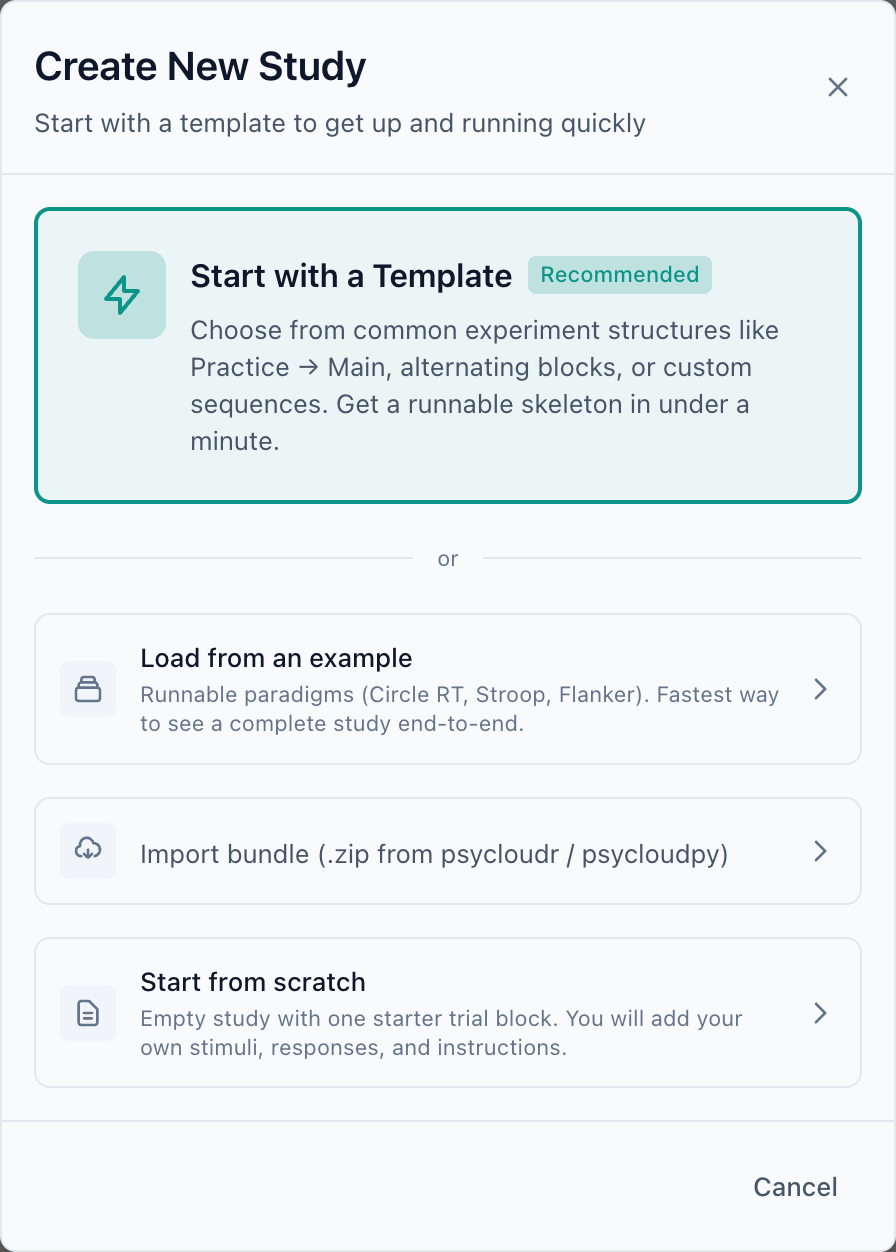
Start with a template
Recommended for most people. Templates give you a runnable skeleton with common structures already wired up — for example a Practice → Main sequence or alternating blocks — that you then fill in with your own stimuli and responses. You get a working study in under a minute and learn the building blocks as you go.
Load from an example
The fastest way to see a complete study end-to-end. Studio ships a library of runnable paradigms grouped by topic — Attention, Executive Function, Perception, Memory, Language, and ready-made Templates — each with a difficulty level and an estimated length.
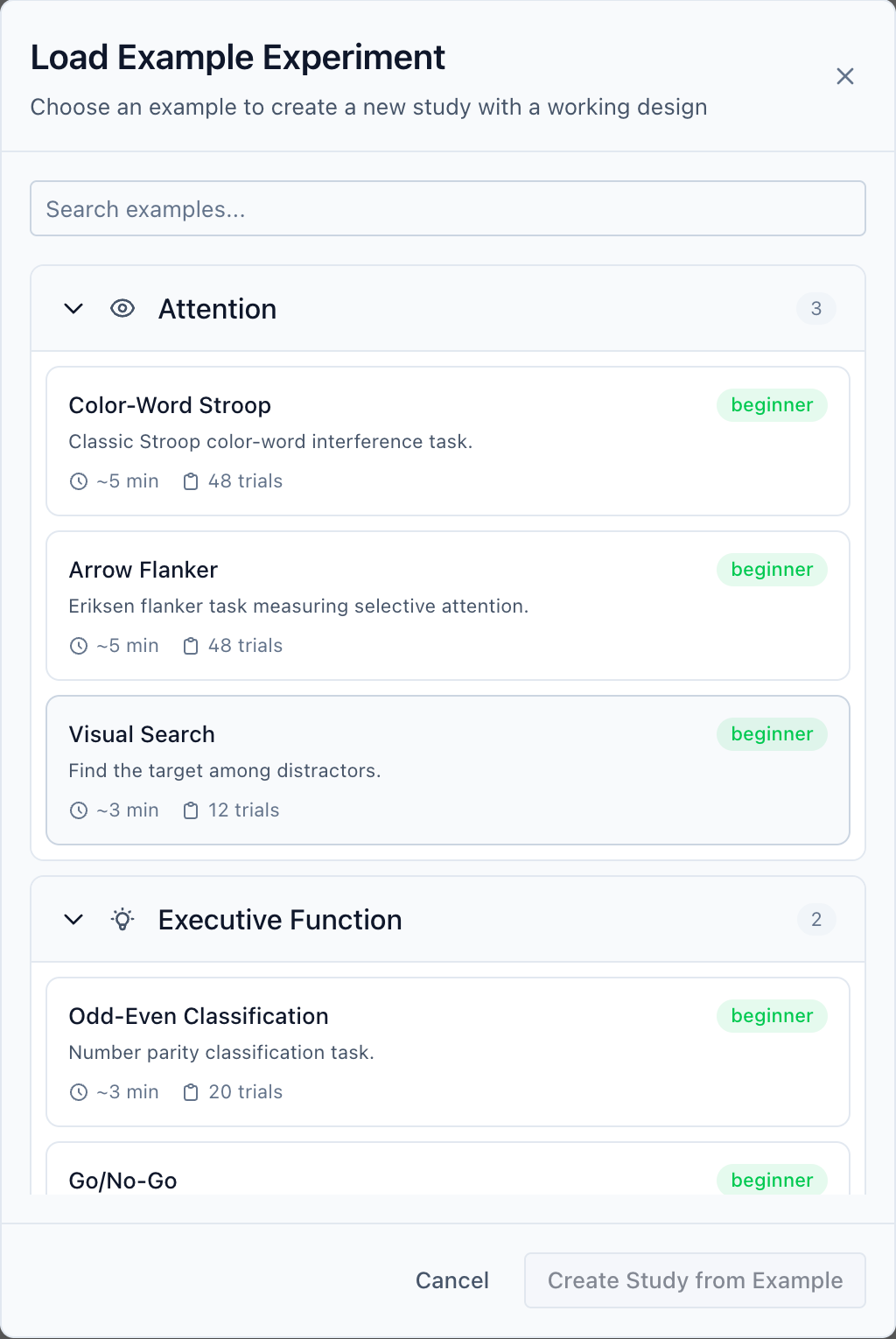
- Open the gallery
In the create dialog, choose Load from an example.
- Pick a paradigm
Browse or search, then select one — e.g. Color-Word Stroop. The right panel describes what it measures and how it is designed.
- Create it
Click Create Study from Example. Studio builds a complete study — phases, trial generation, screens, and bindings — and drops you into the Author perspective ready to edit or preview.
Every screenshot in this chapter uses Color-Word Stroop. Create it now and you can follow along exactly.
Import an existing experiment
If you already have an experiment elsewhere, you can bring it in. From the dialog choose Import bundle, or use the dedicated Import page in the left navigation.
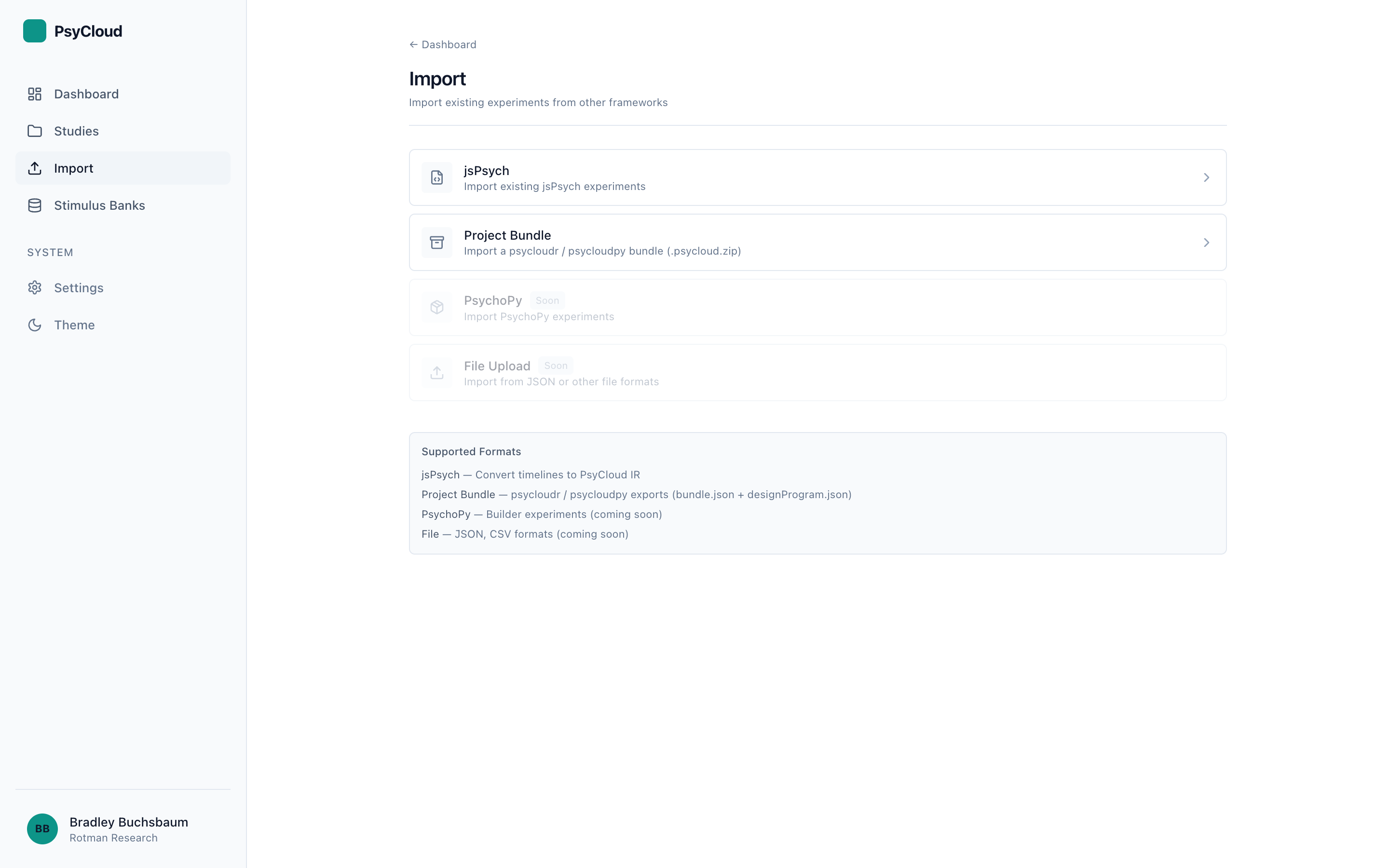
- jsPsych — converts a jsPsych timeline into PsyCloud's internal representation. See the jsPsych import guide for the supported-plugin matrix and known limits.
- Project Bundle — a
.psycloud.zipexported by the Python or R SDK (bundle.json+designProgram.json). This is the round-trip path between code-first authoring and Studio.
The Studio import UI currently offers jsPsych and Project Bundle; PsychoPy and generic File Upload are marked Soon. PsychoJS conversion is available today through the command-line importer even though it is not yet in the Studio UI — see Importing & Migrating for the CLI workflow.
Start from scratch
An empty study with a single starter trial block. Choose this when none of the templates fit and you want to build the structure yourself. You will add phases, stimuli, responses, and instructions by hand — the rest of this chapter shows how.
After you create
However you start, Studio opens the new study in Author with the structure already in the left Study Flow. From here: